
Custom Forms

Field Data Capture

Stop Chasing Paperwork From the Field

Your team captures the job on a phone or tablet — even with no signal. Your office reviews and approves it. Your customer sees the finished report in their own portal. No clipboards, no re-typing, no paperwork riding around in a truck for three days.

Any device. Anywhere.

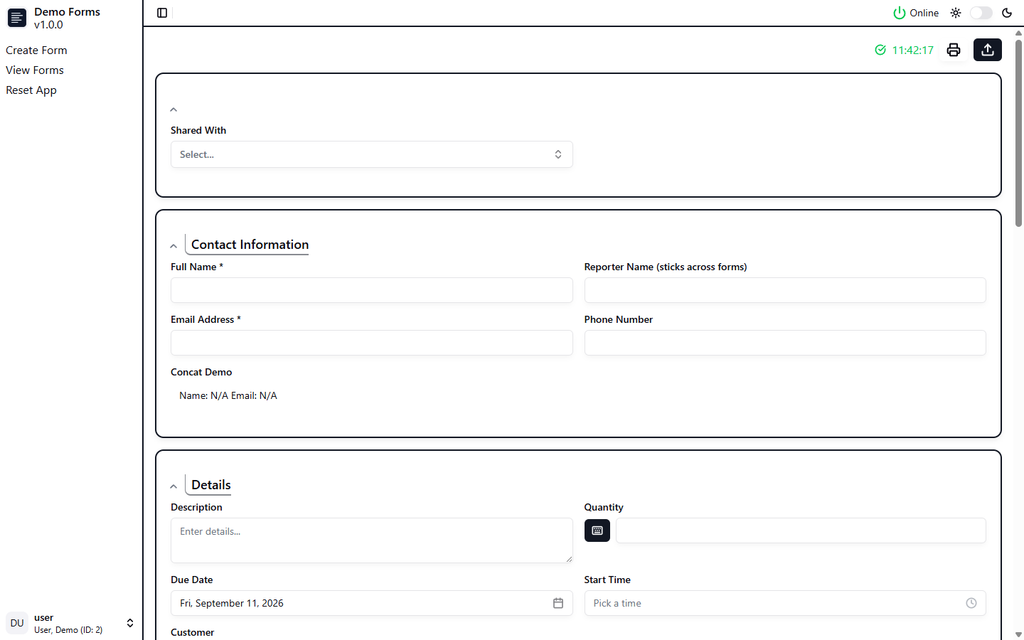
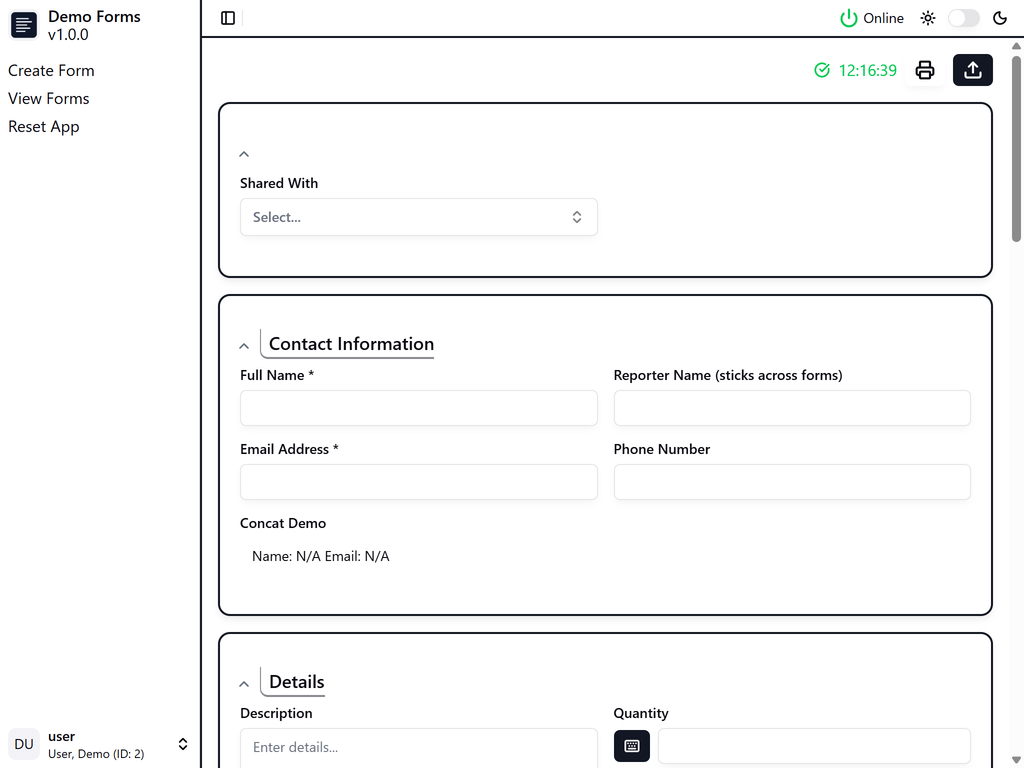
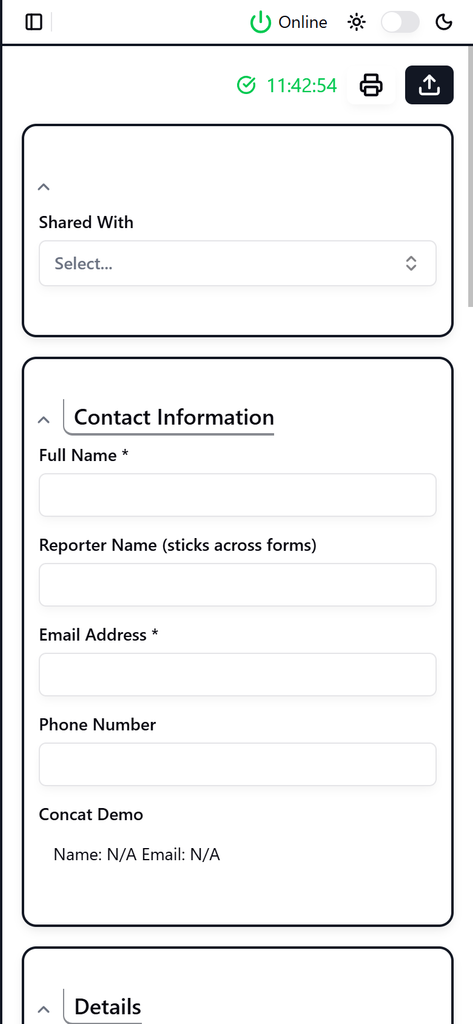
The same form, the same data — on the desktop in the office, the tablet in the truck, and the phone in the field. With or without a signal.

Desktop
Tablet
Phone
The paperwork gap costs more than you think

Most businesses do not lose money on the work itself. They lose it in the gap between the job being finished and the customer getting a clean, checked report.

Everything gets entered twice

Someone fills in a form on site. Someone else types it into a spreadsheet back at the office. You are paying for the same information twice, and every keystroke is a fresh chance to get it wrong.

Reports sit in a truck for days

The job finished on Tuesday. The paperwork reaches the office on Friday. Your customer has been calling since Wednesday, and nobody can tell them anything useful.

Last year’s record is in a cabinet somewhere

When a customer, an insurer or an inspector asks exactly what you recorded and when, a shrug is an expensive answer — and a slow one.

Changing a form turns into a project

One new requirement means reprinting pads, retraining crews, and three versions of the same form circulating at once with no way to tell them apart.

Three steps, one system

From the moment your team arrives on site to the moment your customer opens the report.

01.

Capture on site

Your team opens the form on a phone, tablet or laptop and fills it in, with photos attached. Required fields, valid ranges and automatic calculations catch mistakes while the person is still standing in front of the job.

02.

Review in the office

Every uploaded form lands in one queue. Approve it, or send it back with a reason so the crew can correct it. Nothing reaches a customer until someone you trust has signed it off.

03.

Deliver to your customer

Approved forms are published to a private portal. Your customer signs in, sees only their own records, and prints whatever they need — without phoning you first.

What changes on day one

It works where there is no signal

Basements, rural sites, steel buildings, tunnels. The app keeps going. Forms and photos are saved on the device and upload themselves the moment a connection comes back — nobody has to remember to sync.

Nobody types it twice

What the field records is what the office sees. The re-keying step disappears, and the transcription errors go with it.

Mistakes are caught at the source

Required fields, valid ranges, automatic calculations, and readings that highlight themselves when they fall outside normal — while the person can still go back and check.

You change the forms, not us

Drag fields into place, preview, publish. Your team picks up the new layout automatically. No developer, no reprinting, no wondering which version somebody is using.

Every version is kept

See any two versions of a form side by side with the changes highlighted, and restore an earlier one without losing anything. When someone asks what was recorded and when, you have the answer.

Customers stop chasing you

Your customers get a login to their own reports, ready to read or print. Strictly their own — one company never sees another company’s work.

The details that decide whether it actually gets used

01

No signal, no problem

Field software that quietly needs a connection gets abandoned in week two. This does not. Forms and photos live on the device, upload on their own when signal returns, and the person filling them in never has to think about it.

02

Two people, one form, no lost work

While someone is editing a form it is locked — others can look, but they cannot overwrite. If two copies do drift apart, you get them side by side with the differences highlighted and you choose which one stands. Nobody’s afternoon quietly disappears.

03

Forms that change without breaking

Add a field, rename one, reorder the page — and forms already in progress carry over. If a change would drop information that has already been recorded, the system says so and asks you to confirm before anything is lost.

Built around your business, not a template you work around

This is not a generic form app you rent by the seat and then bend your process to fit. Each deployment is built for one company: your form types, your approval rules, your roles, your terminology and your branding — running as your own separate installation, with your records in your own database rather than pooled with everyone else’s.

Your forms

The fields, sections and repeating tables your work actually uses — including new field types built to order when the standard ones do not fit.

Your rules

Who fills in, who approves, who publishes, and what has to be true before a form can leave the field at all.

Your look

Your colors, your logo and your wording, on every screen your staff and your customers see.

Your installation

A deployment of your own, kept separate from other companies, so your records stay yours.

Built for teams that record work away from a desk

If your people fill in the same form over and over, and someone in the office has to check it before a customer sees it, this is built for that.

Inspection & compliance

Recurring inspections with photo evidence, sign-off, and a record you can produce on demand.

Field service & maintenance

Job sheets, readings and photos from the van, in the office before the technician gets back.

Construction & trades

Site checks, snagging lists and handover packs that reach the client without a paperwork run.

Utilities & environmental

Readings taken where there is no signal, checked against limits as they are entered.

Property & facilities

Condition reports and routine checks across many sites, delivered per client.

Manufacturing & QA

Repeatable checks on the floor, with out-of-range values flagged the moment they are recorded.

Questions business owners ask us

Tell us how your paperwork works today

The first conversation is free and there is nothing to install. Walk us through the forms your team fills in now — the ones on clipboards, in spreadsheets, or in a system nobody likes — and we will show you what this would look like for your business.

Scroll to Top